1
Add Your Statement
Drag and drop your credit card statement PDF or image. Multi-page PDFs are handled automatically. Choose your output format — Excel, CSV, PDF, Word, JSON, or XML.
Upload credit card statement PDFs or images and extract every transaction — dates, merchants, amounts, fees, and payment details — into organized Excel spreadsheets with AI-powered OCR
0/10 daily document conversions
Start free instantly • All document types • No signup required
Privacy First: Your images are never stored - processed instantly and discarded
Drag and drop your credit card statement PDF or image. Multi-page PDFs are handled automatically. Choose your output format — Excel, CSV, PDF, Word, JSON, or XML.
The AI reads the full statement and pulls out each transaction with date, merchant name, and amount. It also captures fees, interest charges, balances, and payment due dates. Your file is processed in memory and never stored.
Get a clean spreadsheet with every charge in its own row — purchases, payments, fees, and credits each in separate columns. Premium users can batch-upload up to 50 statements at once.
Credit card statement
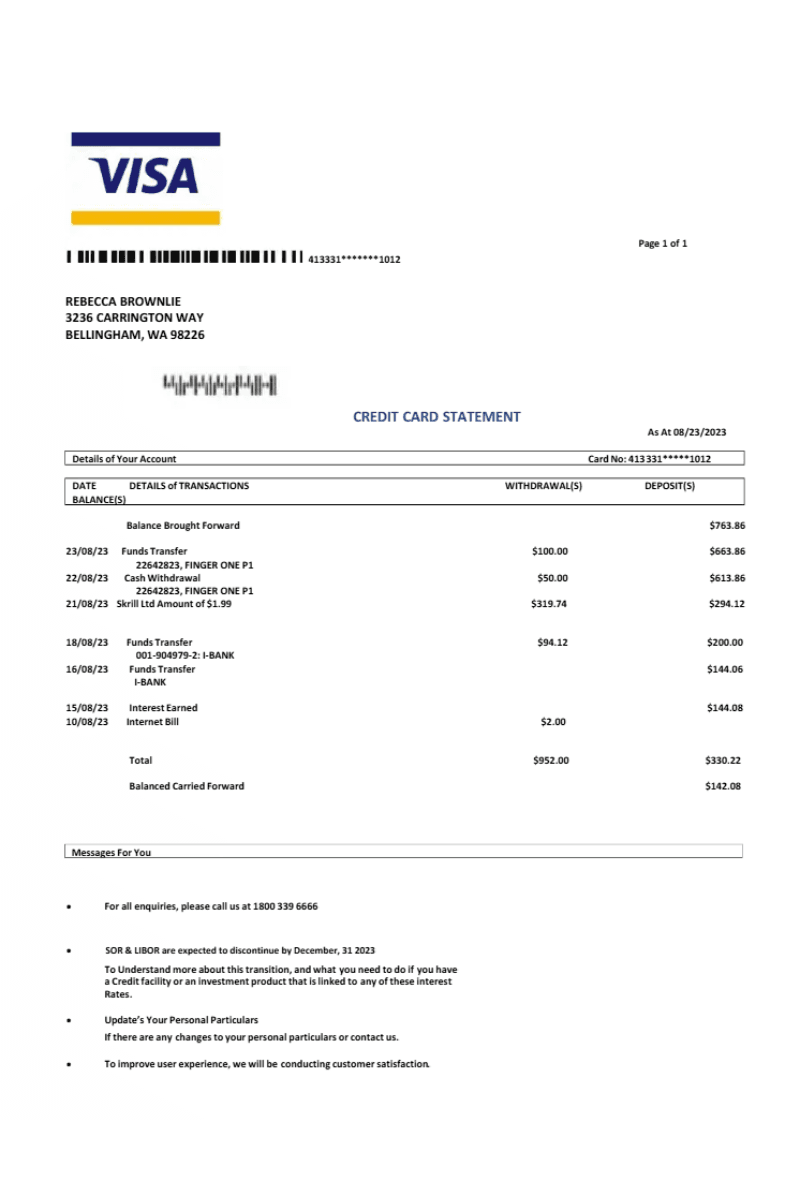
Extracted Excel data
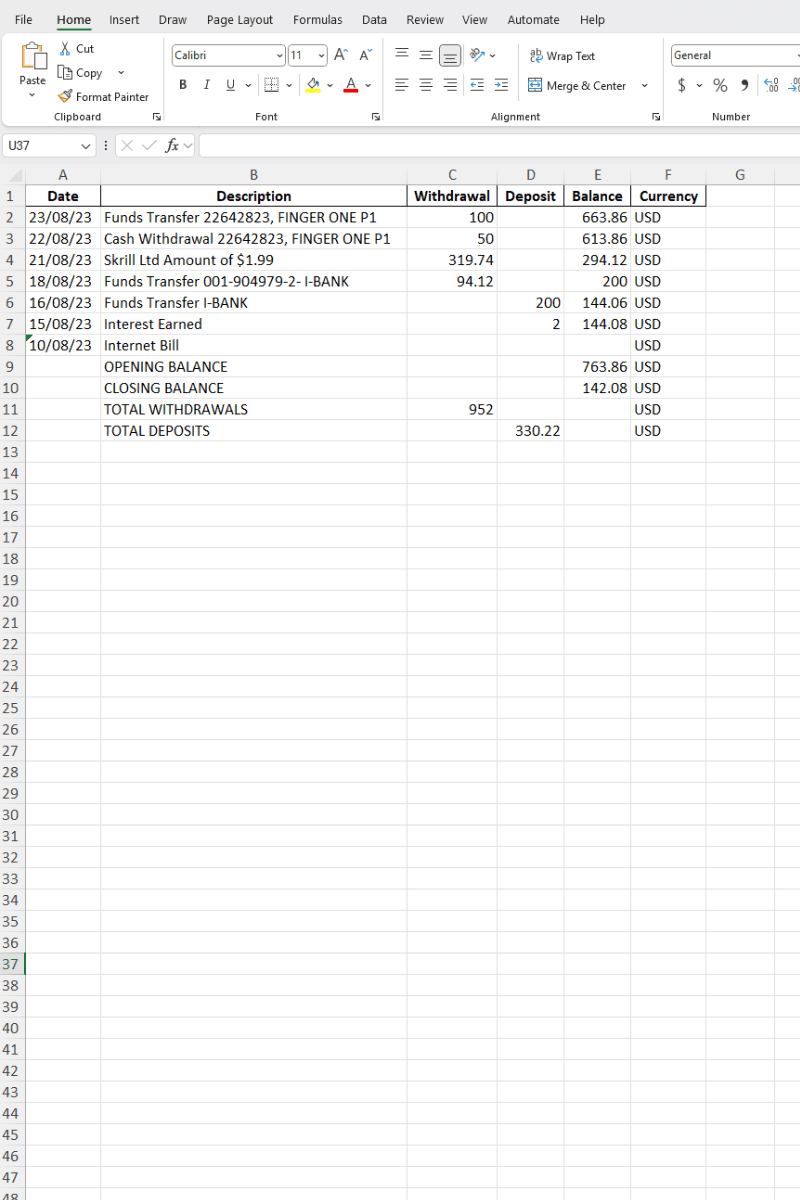
ScanToExcel reads the document layout — not a fixed template — so it handles statements from every major card network and issuer.
Statements from any bank that issues Visa or Mastercard — retail banks, credit unions, and online-only issuers.
Personal, business, and corporate Amex statements including charge cards and revolving credit.
Discover card statements and branded store cards from major retailers with their unique layouts.
Credit card statements in any currency from international banks, fintech providers, and regional card networks.
Company credit card statements with employee sub-accounts, project codes, and multi-currency charges.
Long statements spanning multiple pages are processed as a single document — no need to split or crop.
Extraction
Output
Getting more from your extracted statement data.
Compare across cards
Export statements from multiple cards, merge the sheets, and track total spending across all your credit lines.
Use clear photos
Lay printed statements flat and photograph in good lighting. Avoid shadows and keep all edges in frame.
Check fees monthly
Interest charges and fees sometimes change without notice. A monthly export makes it easy to catch increases.
Upload full PDFs
Multi-page statements are processed as one document. No need to split pages — the AI handles continuation tables.
Keep file names organized
Name downloaded files by card and month (e.g. amex-2026-03.xlsx) so they are easy to find later.
Share with your accountant
Export to CSV or Excel and send directly. Structured columns save time during tax prep and expense reviews.
With your transactions in a spreadsheet, spotting errors and building a dispute case is straightforward.
Sort by amount to identify overcharges. Filter by date to isolate a billing cycle. Copy transaction rows directly into your dispute letter or email. Credit card issuers need the exact date, amount, and merchant name — your spreadsheet provides all three.
Export 12 months of statements and sort by merchant to run an annual subscription audit.
All plans include all document types, input formats & export formats.
Perfect for occasional use. No account needed.
Double your daily limit with a free account.
For power users who need maximum conversions.
Upload a statement and see structured transaction data in seconds. No signup, no cost — just download and start analyzing.
Convert Your First Statement →