1
Snap or Upload Your Receipt
Take a photo or upload an existing receipt image (JPG, PNG, HEIC, HEIF) or PDF, and choose an output format: Excel, CSV, PDF, Word, JSON, or XML.
Snap a photo of any receipt and extract all data — merchant name, items, prices, dates, and totals — into organized Excel spreadsheets with AI-powered OCR
0/10 daily document conversions
Start free instantly • All document types • No signup required
Privacy First: Your images are never stored - processed instantly and discarded
Take a photo or upload an existing receipt image (JPG, PNG, HEIC, HEIF) or PDF, and choose an output format: Excel, CSV, PDF, Word, JSON, or XML.
Our AI reads the receipt and identifies every field — merchant name, date, line items with quantity, description, unit price, and line total, plus currency and grand total — entirely in memory with zero data retention.
Download your organized receipt data instantly or receive it by email. Batch uploads can optionally be bundled into a single ZIP file. Files are auto-named with the merchant name and date for easy organization.
Upload receipt photo
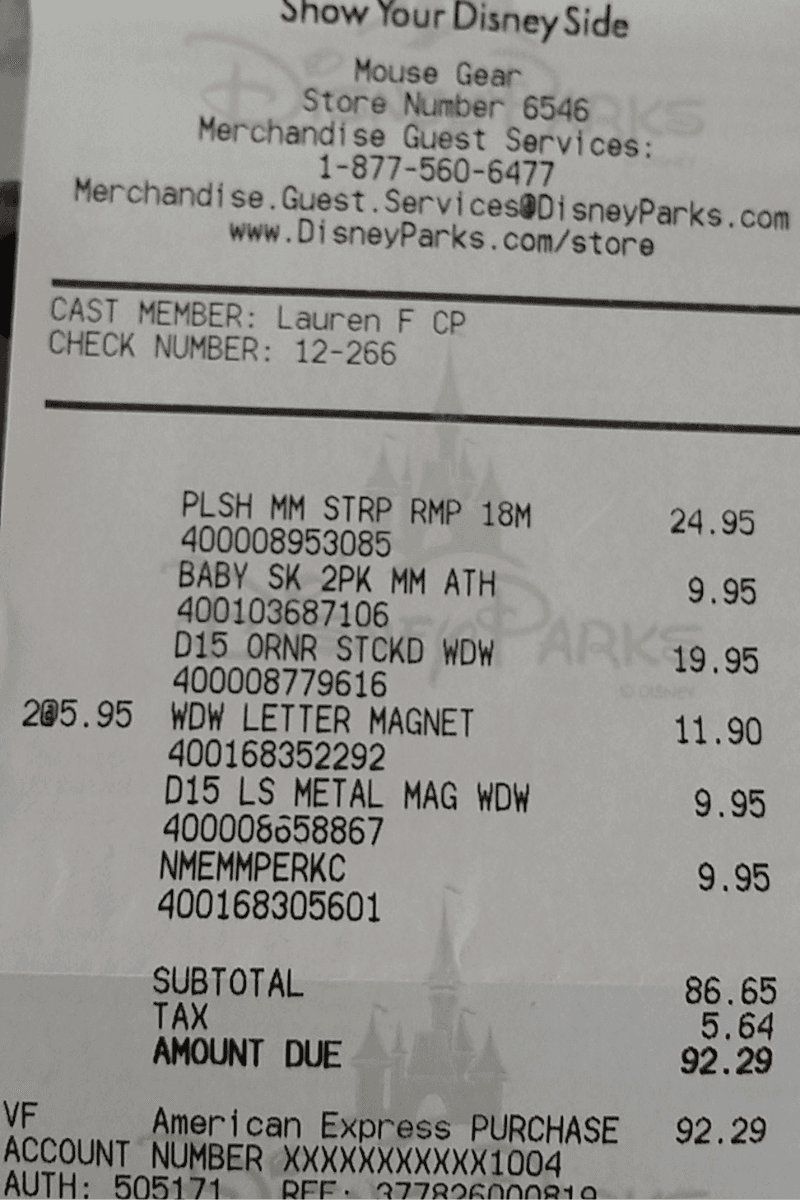
Get organized Excel data
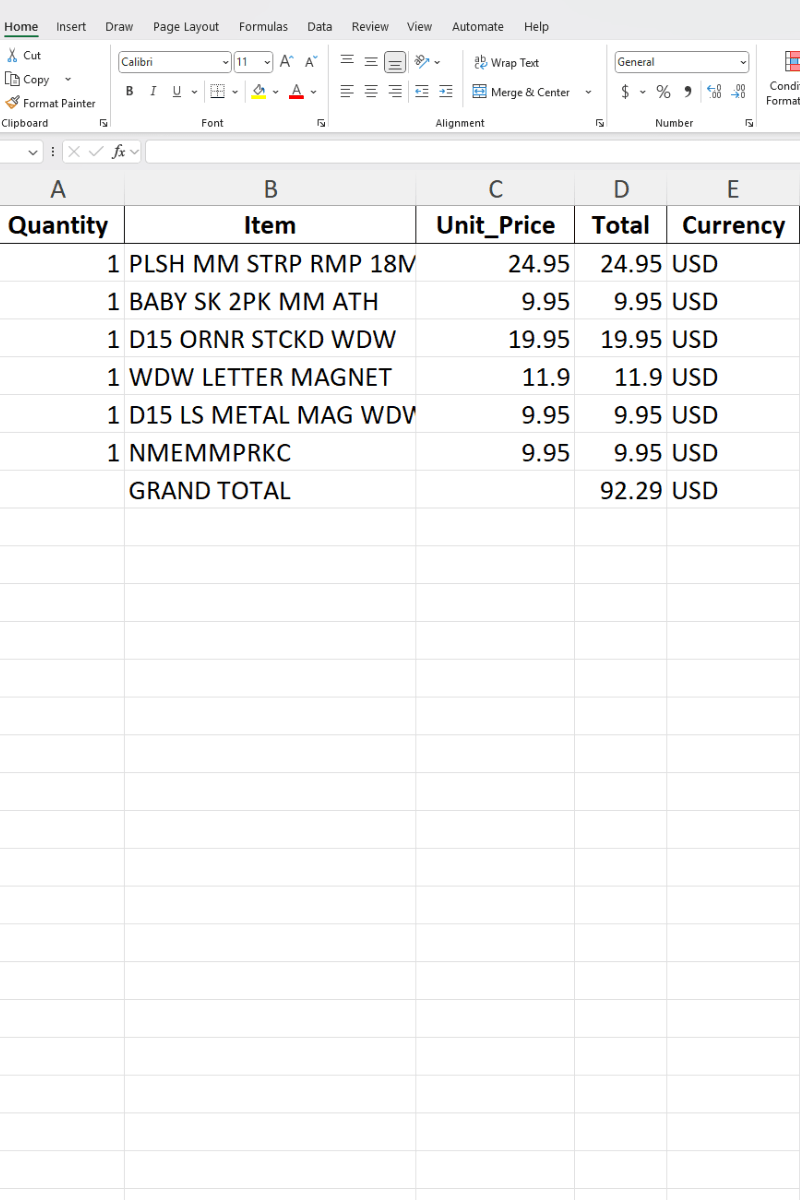
ScanToExcel converts receipts from restaurants, stores, gas stations, hotels, pharmacies, and contractors into structured Excel spreadsheets.
🍽️Restaurant & Dining
Food, beverages, tax, tip, and table number — even from smudged dinner receipts.
🛒Grocery & Retail
SKUs, product names, quantities, unit prices, and discounts for household or business tracking.
⛽Gas & Fuel
Gallons, price per gallon, station name, and total for mileage reimbursement and fleet management.
✈️Travel & Hotels
Room rates, resort fees, parking, and incidentals from hotel folios and travel receipts.
🏥Medical & Pharmacy
Prescription costs, copays, and supplies organized for HSA/FSA documentation and tax deductions.
🔧Hardware & Supplies
Materials, tools, and contractor supplies tracked by line item for job costing and billing.
Handles Any Condition
Flexible & Powerful
Stop dreading tax season. Convert a year of receipts into organized Excel files your accountant will love.
Export your receipts to Excel, then sort them into deductible categories:
Upload multiple receipts at once — up to 3 on Free, 10 on Free+, or 50 on Premium. Each receipt is processed individually, with an optional ZIP toggle to bundle all results into a single download.
Perfect for organizing Schedule C, itemized deductions, or expense reports
A better photo means better results. Follow these tips to get the most accurate extraction from ScanToExcel.
Flatten on a dark surface
Contrast helps the AI detect text more accurately
Use natural lighting
Avoid harsh flash that washes out text
Capture the full receipt
Include merchant name through total
Avoid hand shadows
Hold your phone directly above the receipt
Long receipts? Fold and shoot
Photograph in overlapping sections
Crumpled is fine
The AI handles wrinkled and faded paper well
All plans include all document types, input formats & export formats.
Perfect for occasional use. No account needed.
Double your daily limit with a free account.
For power users who need maximum conversions.
Upload your first receipt and see the magic happen. No signup, no credit card, no hassle.
Convert Your First Receipt →