1
Submit Your Pay Statement
Upload a PDF from your payroll portal (ADP, Gusto, Paychex, Workday) or photograph a printed paystub. Accepts JPG, PNG, HEIC, and PDF.
Extract earnings, taxes, deductions, and net pay from any pay statement — PDF or photo — and get organized Excel data in seconds
0/10 daily document conversions
Start free instantly • All document types • No signup required
Privacy First: Your images are never stored - processed instantly and discarded
Upload a PDF from your payroll portal (ADP, Gusto, Paychex, Workday) or photograph a printed paystub. Accepts JPG, PNG, HEIC, and PDF.
Our AI identifies earnings, tax withholdings, deductions, benefits, net pay, and YTD totals — processed entirely in memory with zero data retention.
Get an organized spreadsheet with all payroll data in structured columns. Also available as CSV, PDF, Word, JSON, or XML.
Upload paystub
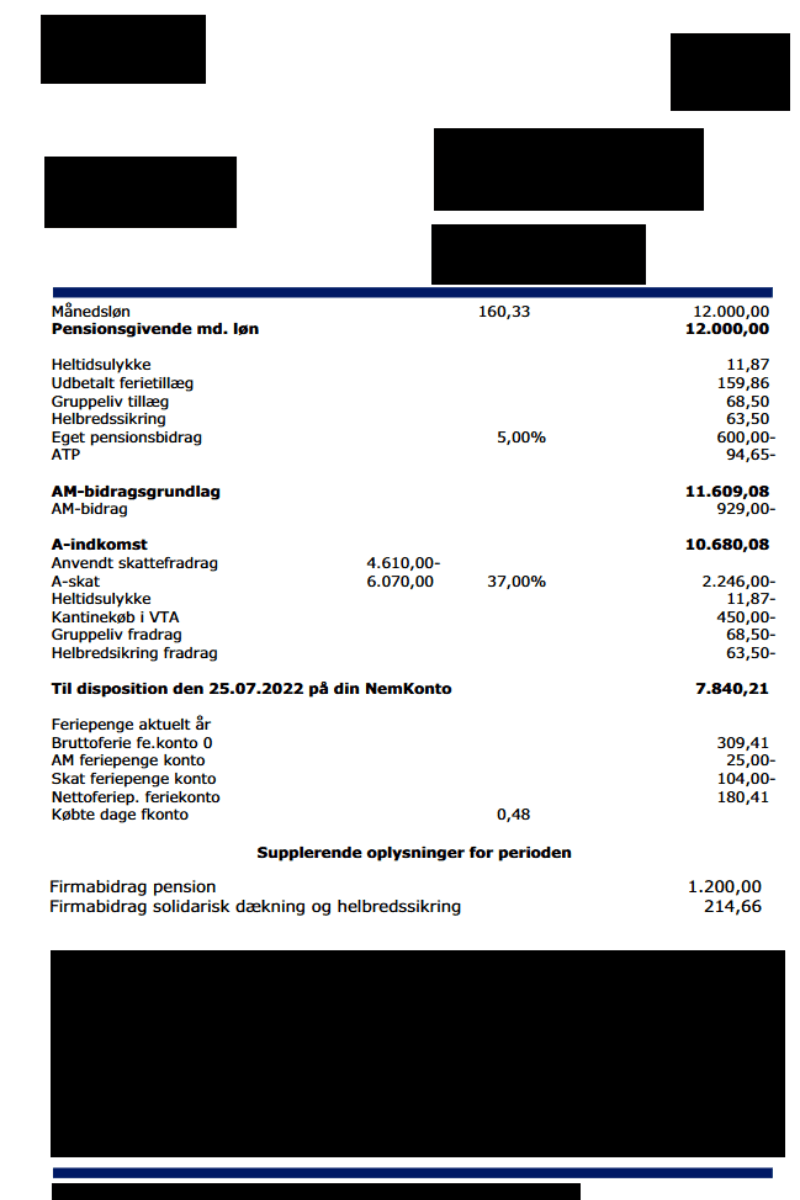
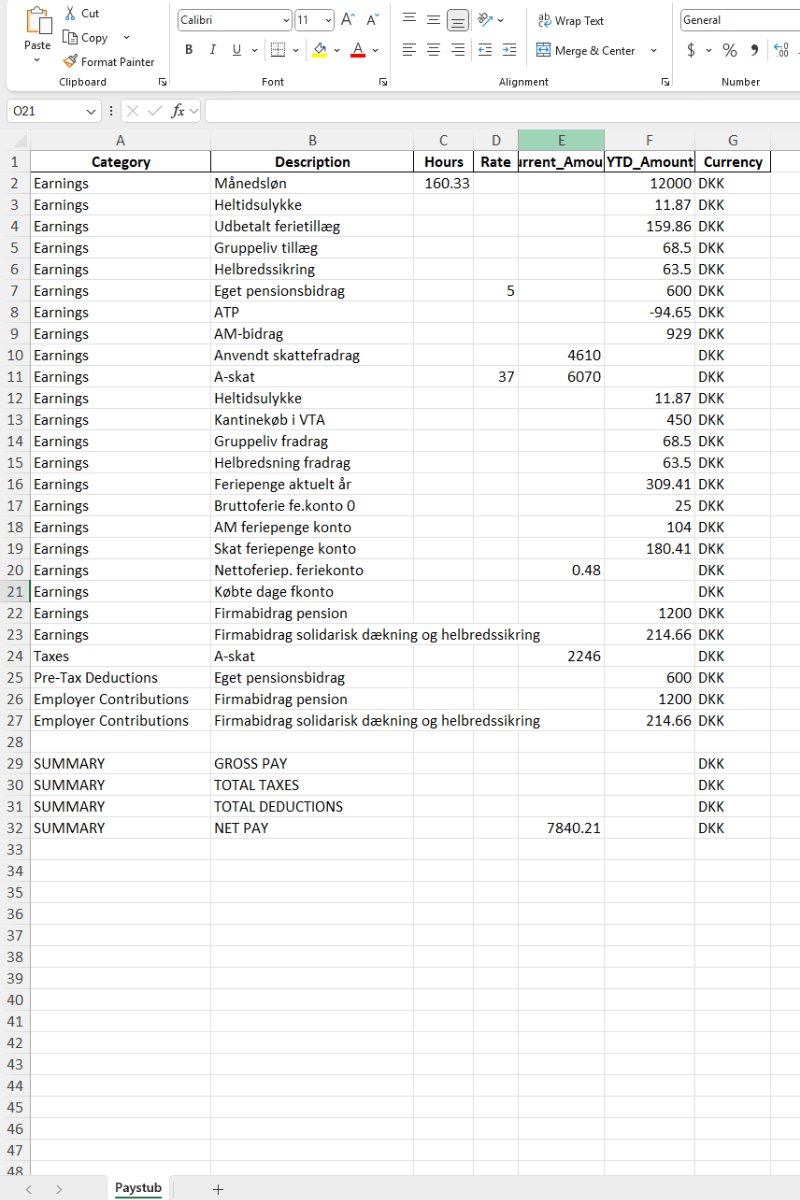
Get organized Excel data
Whether it's a digital PDF from your payroll portal or a photographed paper check, our AI handles paystubs from every employer and payroll system.
Works with paystubs from ADP, Paychex, and other major US payroll providers. Full earnings, tax, and deduction breakdowns are extracted automatically.
Works with paystubs from cloud payroll platforms like Gusto and Paylocity, popular with startups and small businesses.
Handles paystubs from enterprise payroll systems like Workday and UKG, common at Fortune 500 companies and government agencies.
Processes paystubs from QuickBooks, Ceridian, and similar platforms used by small-to-mid-size businesses, including contractor pay.
Photographed or scanned physical paychecks, wage statements, and printed payroll summaries.
UK P60s and P45s, Canadian pay statements, Australian payslips, EU salary documents, and more.
Earnings & Compensation
Taxes & Withholdings
Deductions & Benefits
Summary & Employer Info
Organized payroll data makes income verification, tax prep, and budgeting dramatically easier.
Compare your final December YTD totals against your W-2. Catch errors in withholdings, 401(k) contributions, or HSA amounts before you file.
Lenders require income proof. An organized Excel spreadsheet showing months of consistent pay makes underwriting faster.
Landlords want 3x rent in income. Consulates verify employment. One clean spreadsheet answers both.
Track take-home pay, understand deductions, spot payroll errors, and verify benefits enrollment is correct.
Your final December paystub YTD totals should match your W-2. Use this checklist to verify:
Payroll errors are more common than most people think. Your paystubs are the documentation to catch and dispute them.
Better input means better output. Follow these tips to get the most accurate payroll data from ScanToExcel.
Check your payroll portal's 'Download PDF' option
ADP, Gusto, Workday, and most portals let you download paystubs as PDFs — these extract far more accurately than screenshots
Flatten paper paystubs on a dark surface
Smooth the paper flat and photograph from directly above against a contrasting background
Include everything from name to YTD totals
Make sure the full document is in frame — employee info, all earnings lines, deductions, and the YTD summary
Convert 3+ consecutive paystubs for trend analysis
Comparing several pay periods side-by-side makes it easier to spot payroll errors or track income changes over time
Redact your SSN if you prefer
We never store your files, but you can black out your Social Security number before uploading for extra peace of mind
Combine multi-page paystubs into one PDF
If your paystub spans multiple pages, merge them into a single PDF before uploading for best results
All plans include all document types, input formats & export formats.
Perfect for occasional use. No account needed.
Double your daily limit with a free account.
For power users who need maximum conversions.
Drop a paystub — PDF or photo — and get a clean spreadsheet with earnings, taxes, deductions, and net pay. Free, private, instant.
Upload a Paystub Now →