1
Drop Your Invoice File
Drag and drop a PDF invoice, scanned image, or photograph. Multi-page PDFs are handled automatically — no need to split them. Select your output format: Excel, CSV, PDF, Word, JSON, or XML.
Upload invoice PDFs or images and extract line items, quantities, prices, taxes, and totals into structured Excel spreadsheets. Choose JSON output for full vendor details, dates, and payment terms
0/10 daily document conversions
Start free instantly • All document types • No signup required
Privacy First: Your images are never stored - processed instantly and discarded
Drag and drop a PDF invoice, scanned image, or photograph. Multi-page PDFs are handled automatically — no need to split them. Select your output format: Excel, CSV, PDF, Word, JSON, or XML.
The AI reads the invoice and extracts every line item with description, quantity, unit price, VAT rate, VAT amount, and subtotal. It also captures the tax breakdown, subtotal, and grand total. In JSON output, you additionally get vendor name, addresses, invoice number, dates, and payment terms — all processed in memory with zero data retention.
Download the structured data instantly. Excel and CSV contain the line-item table with totals — ready for spreadsheet work. JSON includes all extracted fields: vendor details, invoice number, dates, payment terms, and line items. Batch uploads produce individual files or a ZIP archive.
Upload invoice PDF or image
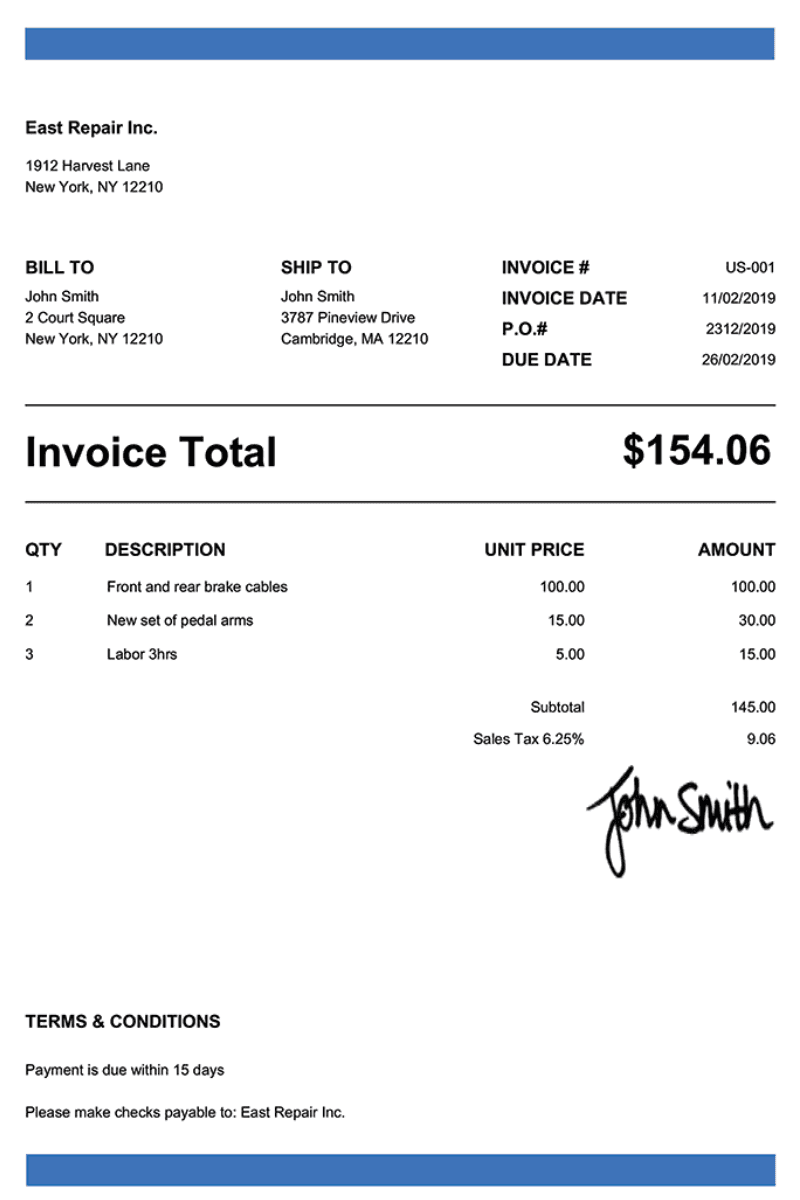
Get organized Excel data
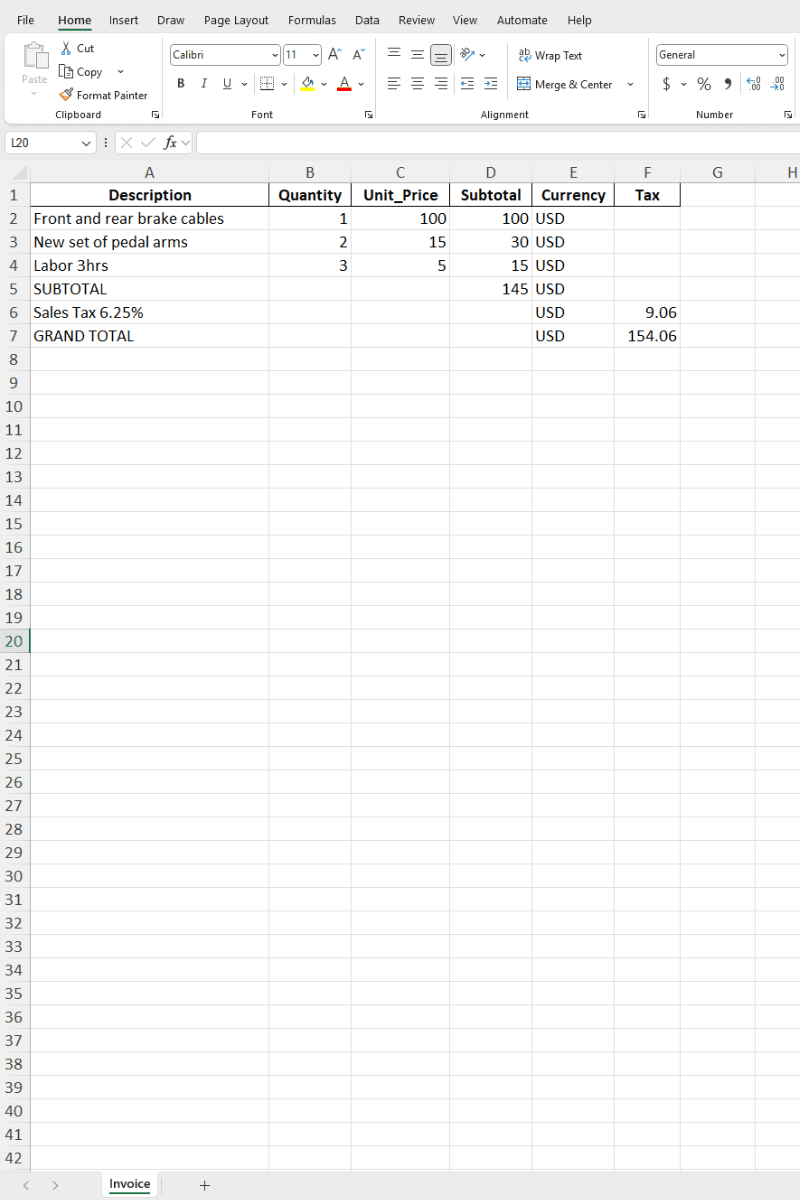
Upload any invoice and the AI extracts line items, totals, and tax details into a structured spreadsheet. From a single freelancer bill to a multi-page vendor statement.
Standard B2B invoices with line items, quantities, unit prices, tax breakdowns, and totals.
Electric, gas, water, internet, and phone bills with usage charges, account details, and payment totals.
Software and service invoices with recurring charges, billing periods, and license details.
Time-based or project-based invoices with service descriptions, hours, rates, and expense line items.
Material supply invoices and contractor bills with itemized costs, quantities, and project references.
Legal, consulting, and accounting invoices with detailed service descriptions, time entries, and fee breakdowns.
The AI reads the full document and identifies every field it can find — from vendor details to individual line items. Here's exactly what you get.
Excel and CSV exports focus on the line-item table with totals — ideal for spreadsheet work. For the full picture including vendor details, invoice number, dates, and payment terms, choose JSON as your output format.
JSON preserves every extracted field. Excel focuses on the line-item table and totals.
Most invoices arrive as PDFs — upload them directly for the best results. For paper invoices, these tips help maximize accuracy.
Upload the original PDF when possible
PDF-native text gives the AI a lossless source — no OCR noise from scanning
Multi-page? Upload the full file
The AI merges line items across all pages automatically — no need to split
Scans: use 300 DPI or higher
Higher resolution means sharper text, especially for small table fonts
Include the full document
Capture from vendor header through payment terms at the bottom — cropping can lose due dates
Avoid glare on glossy paper
If photographing, use diffused lighting to prevent hotspots on coated stock
Handwritten annotations are fine
The AI can read pen notes and handwritten additions on printed invoices
All plans include all document types, input formats & export formats.
Perfect for occasional use. No account needed.
Double your daily limit with a free account.
For power users who need maximum conversions.
Upload your first invoice and see structured data in seconds. No signup, no credit card — just download and start working.
Convert Your First Invoice →